Skip to font generator

Free Copy & Paste FontGenerator

Tired of default fonts? TyeFlo is the free Copy & Paste Fonts generator that turns your plain text into hundreds of stylish Unicode fonts instantly. Type, copy, and Copy & Paste Fonts on platforms like WhatsApp, Discord, Instagram, Twitter, and more — explore categories like Gothic, Cursive.

Popular Fonts

12 of 19
Table of Contents
Quick Start

How it Works

Today, it's easier than ever before to use fonts. With TyeFlo you can Copy & Paste Fonts in just a few seconds — type your text, pick the style that fits your vibe, tap to copy, and paste it anywhere. Use the + and buttons next to the preview to scale the font size up or down for crystal-clear readability on any device — phone, tablet, or desktop.
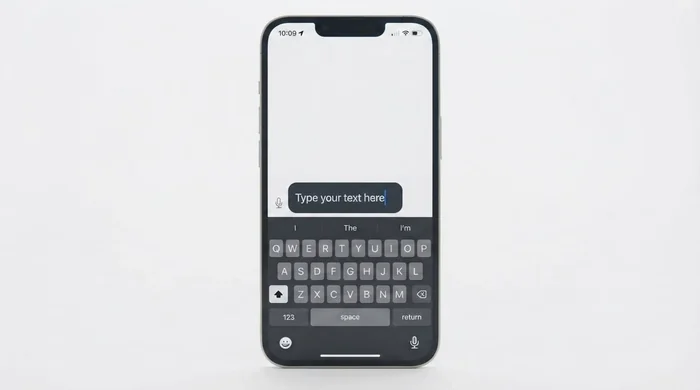
1How it works Step 1: type your text in the Copy & Paste Fonts generator input box
Step 1 of 5

Type your text

Start by typing anything into the input box at the top of the page — your name, a username, a bio line, a caption, or a quote. As you type, the tool instantly converts each character into hundreds of fancy Unicode styles, so you can preview them side-by-side in real time.
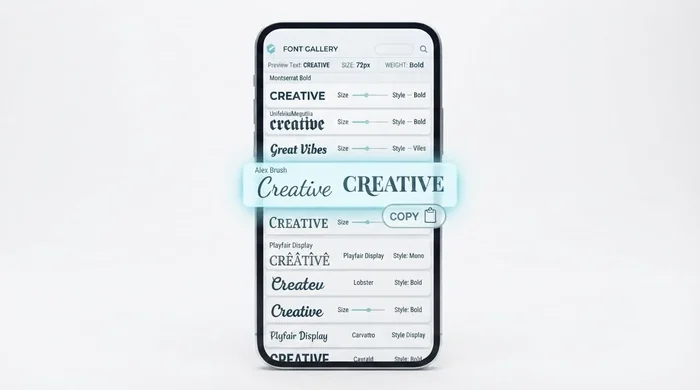
2How it works Step 2: copy any Copy & Paste Fonts style by clicking a row
Step 2 of 5

Copy the style you like

Scroll through the generated styles, then tap any row to copy that exact styled text to your clipboard. Want a few options? Keep clicking — every copy is added to the sticky clipboard bar at the bottom, and you can copy them all together with one tap.
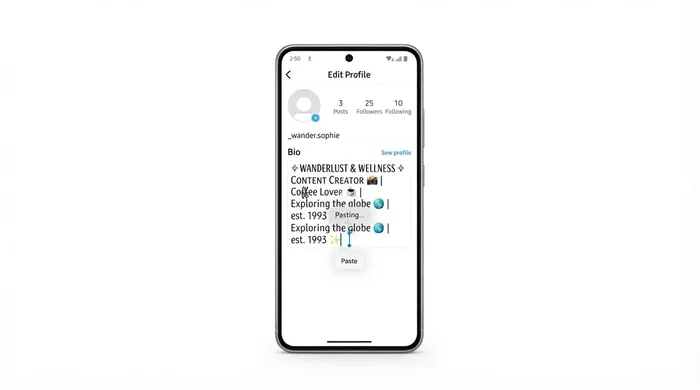
3How it works Step 3: paste the Copy & Paste Fonts styled text into any app
Step 3 of 5

Paste it wherever you want

Open Instagram, TikTok, Twitter/X, Discord, WhatsApp, Free Fire, or any app that accepts text, and paste. Because these are real Unicode characters (not font files), they render natively in almost every modern app — no install, no download, no plugin required.
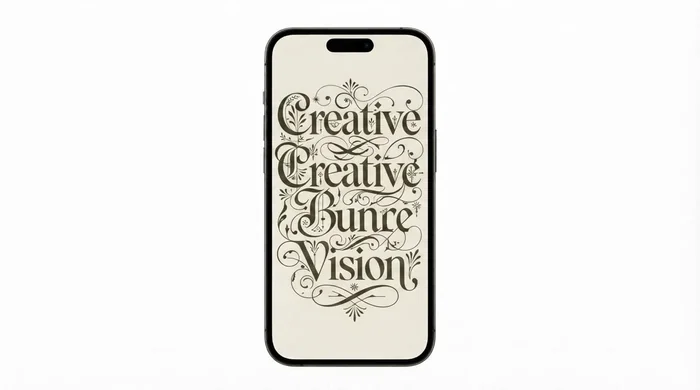
4How it works Step 4: Copy & Paste Fonts render on every device and OS
Step 4 of 5

Works on all devices

Phone, tablet, laptop, or desktop — Windows, Mac, iOS, Android, or Linux. The exact same fonts render everywhere because Unicode is a global standard supported by every major operating system and browser. No settings to fiddle with.
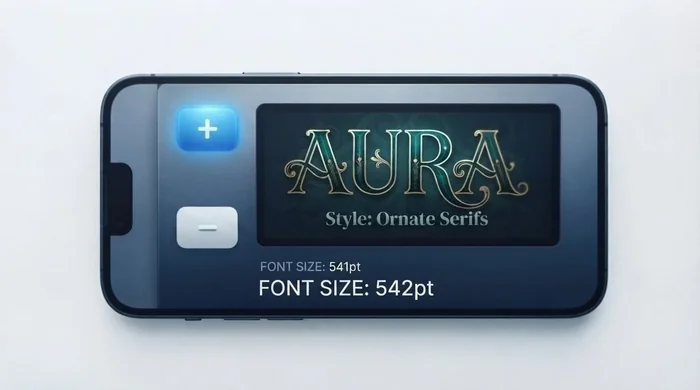
5How it works Step 5: adjust the Copy & Paste Fonts preview size with + and − buttons
Step 5 of 5

Adjust font size

Use the + and - buttons next to the input to make the preview text larger or smaller. Bump it up when you want to admire ornate styles like Fraktur or Bubbles, or shrink it down to fit more rows on the screen while you browse. Your size preference is remembered for the session.
Use Cases

Where to Use

Once you've copied a styled font, where can you paste it? Almost anywhere that accepts plain text. Below are the most popular use cases our users actually rely on day-to-day.

Social Media

Social media is the biggest use case for our free font generator. Use these fonts to spice up Instagram bios, captions and stories, Facebook posts, TikTok captions, WhatsApp status updates, and tweets. The same styles also work on LinkedIn, Reddit, Pinterest, and most other platforms that accept plain text.

Games

Today, we don't just play games — we chat inside them, set usernames, and write descriptions. Our fonts help your in-game chats, nicknames, and clan tags look more attractive across Discord, Free Fire, PUBG, Minecraft, BGMI, Valorant, and Roblox. A quick note: a few rare games block certain Unicode ranges, so always double-check before paying to rename your character.

Art

If you're feeling creative, use our fonts to express your personality, thoughts, and artistic side. Drop fancy text into image edits, video thumbnails, poster mockups, Instagram story templates, Canva designs, or Procreate layers — anywhere a text layer exists, a Unicode font fits in beautifully.

Education

Educational essays, images, presentations, and assignments are usually a little dull, right? Add a visual lift to your slides, headlines, and notes with bold, script, or gothic styles. They're perfect for class posters, project titles, science-fair headers, and study highlights that need a little extra flair.

Messaging

Add creativity and a bit of style to your messages. Imagine a WhatsApp or iMessage text in an elegant cursive font rather than the default — it instantly conveys your personality and mood. Use them freely on WhatsApp, iMessage, Telegram, Messenger, Snapchat, and Signal.

Design

Designers are always looking for fresh text accents for their mockups, wireframes, and concept boards. Why not add Unicode fonts to the mix? Enter your text, pick the style that best suits your mood, and paste it straight into Figma, Canva, Photoshop, Illustrator, or any tool that accepts pasted text.

Documents

We all wish there were fewer documents in our lives — sadly, we can't reduce them. What we can do is make them more fun. Add bold, italics, or other cool fonts to email subject lines, presentation titles, and section headers. They render perfectly in Google Docs, Notion, Slack, and most modern text editors.

Ads

Running a special offer? "Normal text" ❌ — "Stylish text" ✔️. Use our fonts to make sale banners, promotional captions, push notifications, and email headlines pop. A fancy headline often converts better than a plain one, and Unicode text works in almost every ad platform that accepts plain text.

QR Code

You can paste these stylish fonts into a QR code generator and get something unexpected — a custom-decorated label that still scans. Great for event wristbands, custom packaging, wedding invites, or business cards where you want the label itself to feel designed rather than generic.

Pro Tips

Tips for Choosing the Best Font

With hundreds of styles to pick from, it's easy to get lost. These nine tips will help you narrow down to the one that actually fits your vibe, your platform, and your message.

1

Match the Mood

Choose the style that matches your vibe, not just your favorite. Spooky content fits Gothic, playful with Bubbles, elegant with Cursive — match mood to message.

2

Test on the Target Platform

Before finalizing, test it on your phone or the actual app. Most platforms support every Unicode style, but a quick check saves surprises.

3

Browse by Category

Cool, Fancy, Cursive, Small, Bold, Glitch, Symbol, and Text Art each have a distinct personality — use categories to find your vibe fast.

4

Keep it Simple

Avoid overstyling. Too many decorative characters can make your bio or profile feel crowded and hard to read.

5

Prioritize Readability

A font that looks gorgeous but is hard to read will hurt more than it helps — especially in bios and captions.

6

Fit the App

Clean script fonts won't work for fast gaming chats; Bubbles won't look great in a professional LinkedIn bio. Match style to platform.

7

Check What's Trending

The Popular section shows what other people are actually using — a quick way to spot what's hot right now.

8

Use the Size Slider

Use the +/− buttons to enlarge ornate styles like Fraktur for a closer look, and shrink back when scanning through dozens of options.

9

Compare Side-by-Side

Copy two or three options to the clipboard bar at the bottom and pick the best one after seeing them side-by-side.

Features

Why Choose TyeFlo — the Copy & Paste Fonts Generator

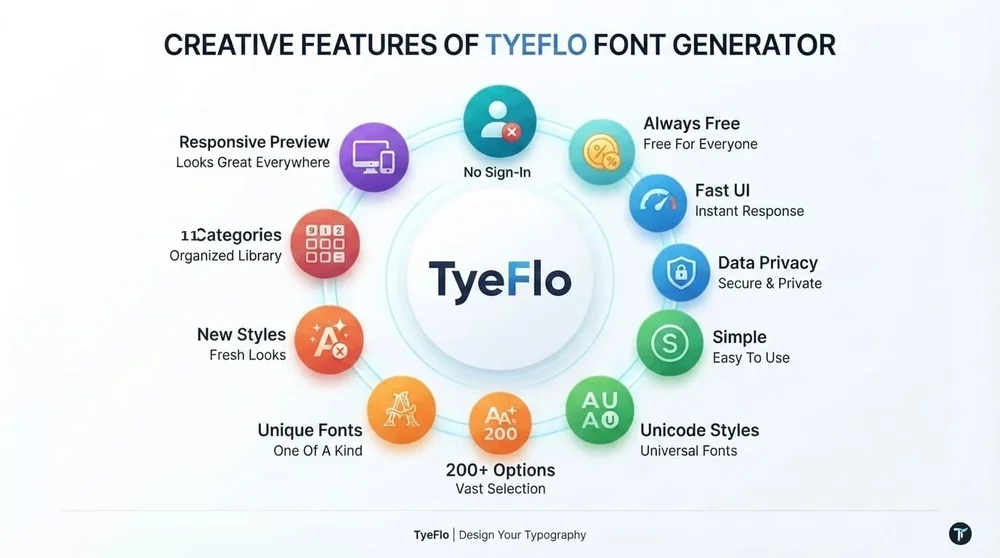
TyeFlo is the #1 and best Copy & Paste Fonts generator on the market. WHY? Let's break it down: No sign-in, always free, user friendly UI, privacy first (no data stored), simple and fast, Unicode styles compatible with almost every device, largest collection, unique styles, new styles added regularly, instant copy paste and share, categories to find best fonts, mobile friendly preview, works online — no software installation needed.

Copy & Paste Fonts — TyeFlo features infographic showing 11 key reasons to use the free font generator including 11 categories, 200+ options, no sign-in, always free, and data privacy
The Copy & Paste Fonts generator — 11 key features
  • No sign-in required — open the page and start typing instantly.
  • Always free, with no hidden plan, no watermark, and no daily limit.
  • Friendly, distraction-free UI built for fast browsing on any device.
  • Privacy first — nothing you type is stored on our servers.
  • Simple, fast, and easy to use — no learning curve.
  • Unicode-based styles compatible with almost every modern device and app.
  • Largest collection — 200+ styles across 11 curated categories.
  • Unique styles you won't find duplicated on every other generator.
  • New styles added regularly based on what users ask for.
  • Simple and instant copy-paste-share — no download, no install.
  • Categories to help you find the best font for your specific vibe.
  • Mobile-friendly preview that adapts to any screen size, phone or desktop.
Under the Hood

Why It Works on Every Platform — Unicode

Unicode is a global character-encoding standard that assigns a unique code (a "code point") to letters, symbols, emojis and characters from almost every writing system — so computers, phones and apps can display text consistently without each company inventing its own character set. Today, every major platform supports Unicode.

TyeFlo doesn't ship real font files like .ttf or .otf — it acts as a Unicode text converter that maps your normal letters to existing Unicode characters that look like different styles, such as bold, italic, cursive, gothic, or double-struck text.

Because these styled characters are standard Unicode text, they can usually be copied and pasted into platforms like Instagram, TikTok, Discord, WhatsApp, and gaming profiles without installing anything. Font generators use different Unicode blocks — Mathematical Alphanumeric Symbols, Enclosed Alphanumerics, and combining characters — to create decorative text styles.

Templates

Bio Templates

Need inspiration for your next bio? Start with one of these ready-made templates — each is a single tap to copy. Tweak the lines after pasting to make them yours.

Browse

Categories

We've sorted every font into 11 dedicated generator pages so you can find the right vibe in seconds. Click any name below to jump straight to its own page — each one has the full font tool, popular styles, use cases, and FAQ for that group.

Each category above links to its own dedicated page with the complete style catalog, usage examples, and FAQ — perfect for bookmarking when you find your favorite vibe.

Just Dropped

New Font Styles

We've added dozens of new fonts to each category so you can find most of what you need on a single platform — no more jumping between sites. Here are nine of the latest additions:

Square Bold

New

Heavy blocky letters enclosed in solid squares — bold without being loud.

Mirrored Text

New

Every letter reflected horizontally, so the line reads like a fun-house mirror.

Strikethrough Wave

New

Wavy strikethrough running through cursive script for a hand-crossed-out look.

Circled Bubbles

New

Each character wrapped in a perfect circle — soft, friendly, and very legible.

Small Caps 2.0

New

Refined small caps with better x-height balance for clean reading at tiny sizes.

Fraktur Filigree

New

Intricate Fraktur with extra flourish strokes for medieval-poster vibes.

Zalgo Glitch Pro

New

Heavier Zalgo distortion with deeper stacking — for when you want it cursed.

Mixed Alphabet

New

Random mix of math, script, and bold characters for a chaotic-but-cool look.

Rainbow Mix

New

Multi-block rotation that gives every letter a slightly different visual feel.

Inspiration

Quotes For Profiles

Add one of these short quotes to your bio, status, or caption to make your profile feel a bit more aesthetic. Click any card to copy the quote text.

"My journey is still being written, and I'm just getting started."
"I was never meant to blend in; I was made to be different."
"Enjoy the little moments because tomorrow is never promised."
"Confidence is the best thing I can wear."
"I don't follow paths, I create my own."
"A small step forward is still progress."
"I'm not perfect, I'm one of a kind."
"Keep smiling and look for the brighter side of life."
"Dream without limits, begin with small steps, and keep moving."
"Being yourself will always be your greatest strength."
Deep Dive

Alphabet Styling

Every letter changes its personality across different aesthetic styles. The letter A, for example, can appear as elegant script 𝒜, bold 𝐀, gothic 𝔄, double-struck 𝔸, or cursive 𝓐 — each version creates a completely different visual feel while still representing the same character. This variety is what makes aesthetic typography so powerful: every combination of letters, styles, symbols, and decorative elements can produce a unique look for usernames, bios, designs, and creative projects.

This tool gives you access to the full alphabet from A to Z in hundreds of copy-paste styles, so you can transform any word instantly. Unicode also supports stylized numbers and symbols — like ①②③, 𝟏𝟐𝟑, and many other decorative characters — letting you customize dates, rankings, logos, invitations, posters, and social media text. Whether you want something elegant, playful, bold, or modern, these design letters help turn ordinary text into something visually distinctive.

Help

Troubleshoot

Sometimes, when you copy a font and paste it into a site or app, you may see boxes or empty squares. That's the platform's way of saying: "We don't support these characters." It's rare, but it happens. You may also see nothing at all on certain devices, because that device's fonts don't include the relevant Unicode glyphs. The fix is easy — come back to TyeFlo, choose a slightly different style, and try again. Most of our 200+ styles render universally across modern devices and apps.

Still stuck or seeing something weird? Reach out to us and we'll help you figure out what's going on.

Suggest

Found a Font?

Did you find a font that suits you? If not — and you're looking for some other styles — let us know. We're always adding new styles based on what you ask for, and we'd love to hear what's missing. Drop a quick note on our contact page and we'll get it added so you and other users can enjoy it.

About

About TyeFlo

TyeFlo is a free online font generator that turns your plain text into hundreds of stylish Unicode fonts in real time. We built it to be the fastest, cleanest, and most privacy-respecting way to add personality to your bios, captions, usernames, and messages — no sign-up, no download, no paywall.

Our team is a small group of designers and engineers who got frustrated with clunky, ad-heavy font sites. We wanted something that felt instant on mobile, looked clean on desktop, and never asked for your data. That's why TyeFlo transforms everything client-side in your browser, never stores what you type, and keeps the UI distraction-free.

We're constantly adding new styles, new categories, and new templates based on what you tell us you want. Have an idea, spotted a bug, or found a font you'd love to see here? Head to the contact page — we read every message.

FAQ

Frequently Asked Questions

Is TyeFlo free to use?+

Yes, completely free. No sign-up, no watermark, no daily limits, and no hidden plan. Type your text, pick a style, copy it, and paste it wherever you want — that's the whole flow. The tool is funded by lightweight ads so it can stay free forever for everyone.

Do these fonts work on Instagram, TikTok, and Twitter?+

Yes. Instagram bios and captions, TikTok captions and comments, Twitter/X display names and tweets, WhatsApp status, Discord nicknames, YouTube titles — they all accept these Unicode styles because they're standard characters, not real font files. A handful of styles (very rare ones) may render as boxes on older devices; if that happens, just pick another style.

Why do some fonts show up as empty boxes?+

Empty boxes (tofu) or question marks appear when the platform or device doesn't have a glyph for that specific Unicode character. It's rare, but it happens — usually with very exotic styles like Zalgo or obscure mathematical symbols. Just switch to a slightly different style and you'll be fine. The Popular section is full of universally supported options.

Are these real fonts I can download?+

No, and that's actually the point. These are Unicode characters — real text characters that already exist on your device — not downloadable font files like .ttf or .otf. That's why they work everywhere online without installation. If you need an actual installable font file for design software, head to a font library like Google Fonts or DaFont instead.

Is anything I type stored or sent to your servers?+

No. Everything you type is transformed live in your browser using JavaScript — your text never leaves your device. We don't store what you type, and we don't track individual font copies. The only thing our servers see is the standard page request, the same as any website. Privacy first, always.

Wrap Up

Conclusion

Aesthetic fonts have changed the way people express themselves online by making personalized, creative text easier than ever. They provide a simple way to add character to your digital identity — whether you're crafting a unique Instagram bio, a memorable gaming username, designing content, or adding a personal touch to everyday messages.

The best part is that no design experience, software, or expensive tools are needed. With hundreds of styles available — from cute and kawaii designs to elegant cursive, bold gothic, dreamy, glitch-inspired, and professional Unicode styles — anyone can transform regular text into something visually unique. Choose a style, copy your customized text, and use it across platforms to make your words stand out.

Ready to give it a try? TyeFlo is your go-to Copy & Paste Fonts generator — scroll back up to the input box, type anything, and tap any style to copy. Your next favorite bio is one click away.